How to make a birthday card online
Open the card generator and choose a mode. In AI mode you write a short brief: who the card is for, the age they are turning, the style you like and the mood you want, from warm and sentimental to completely silly. The generator draws an original illustration around that description in about a minute.
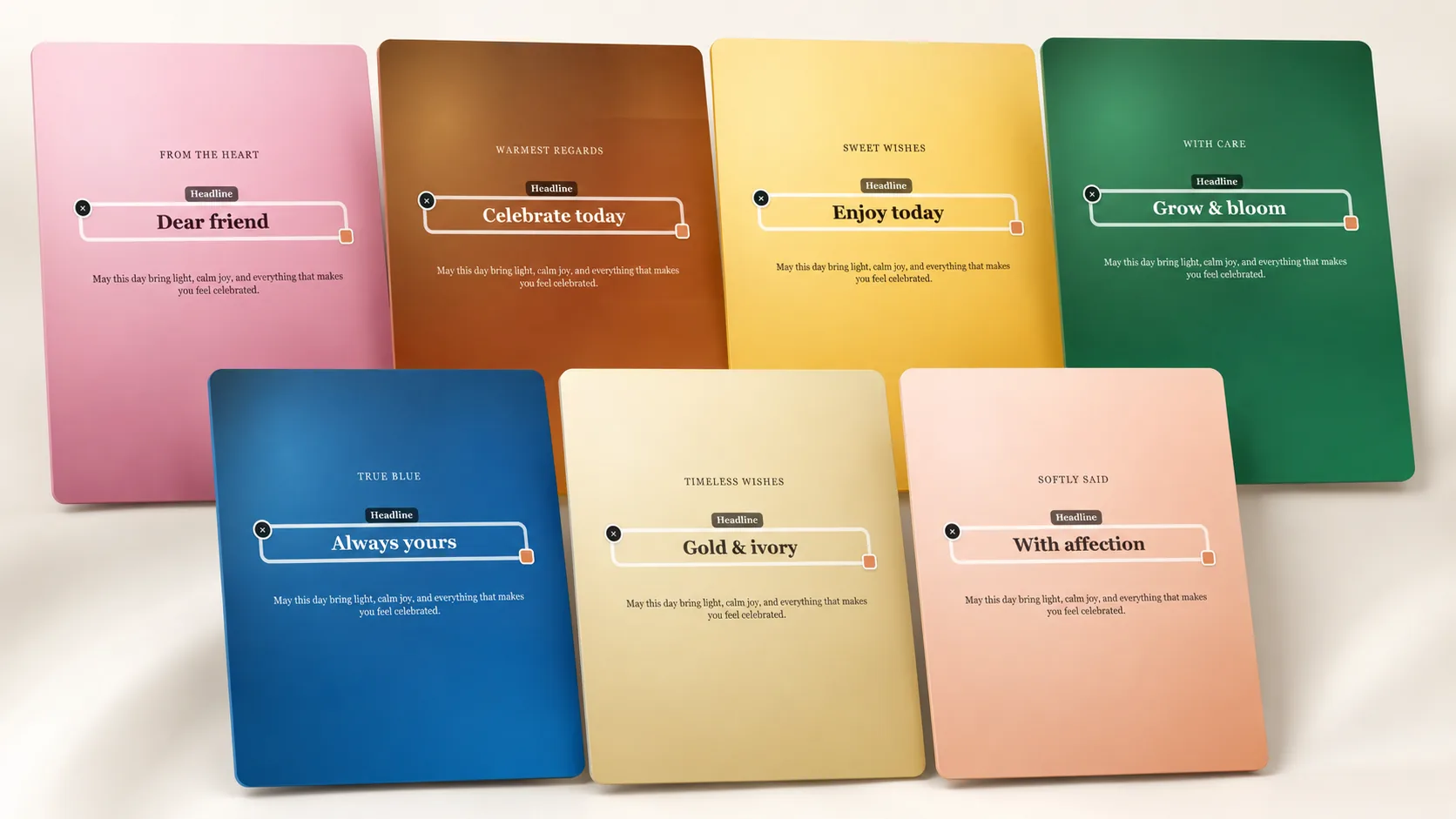
Template mode works the other way round. You pick a finished layout, then edit the title, the headline and the message, swap fonts and colours, and move each text block until the balance looks right. Either way the preview carries a watermark, so you can keep adjusting until the card is genuinely ready before paying.
- Describe the birthday person, their age and the tone you want in one prompt
- Regenerate an AI card up to three times if the first illustration misses
- Rewrite the greeting, the name and the message in template mode
- Change fonts, colours and the position of every text layer
- Check the watermarked preview before you pay $3.99 for an AI card or $1.99 for a template
What to write in a birthday card
The best birthday messages name something specific. Instead of wishing someone a great year, mention the thing they finally finished, the trip they keep talking about, or the running joke only the two of you understand. One concrete line beats three generic ones, and it also gives the AI something real to illustrate.
Length matters as much as wording. A short headline with two or three sentences underneath reads well at any size, while a long paragraph shrinks the type and crowds the artwork. If you have a lot to say, keep the card brief and save the rest for the message you send alongside it.
- Another year of you being impossible to keep up with
- Happy birthday to the person who answers the phone at midnight
- Wishing you a slow morning, a loud evening and cake somewhere in between
- Same time next year, same terrible singing
- A design direction: their favourite colour, their dog and a single lit candle
- A quiet one: thank you for a whole year of being easy to talk to
Print it at home or send it before the party
After payment you download the card as a high-resolution PNG with no watermark in A6, A5, A4 or a custom pixel size. A6 folds neatly into a classic card, A5 works as a flat card people prop up on a shelf, and A4 turns the same artwork into something closer to a small poster for the party table.
The same file works digitally without any extra step. Send it in a chat, attach it to an email, or post it if the birthday is a public one. If the download goes missing, open the result page again and take the file a second time, because one payment covers that card for good.
How it works
- Pick this occasion and choose AI mode or a ready template.
- Describe the card or edit the title, headline and message.
- Check the free watermarked preview and refine it if needed.
- Pay once and download a print-ready PNG in A6, A5, A4 or a custom size.